AI News · Tools
Seven models, one sunflower:
the visual comparison.
DE Auf Deutsch lesen
Haiku, Sonnet, Opus, Luna, Terra, Sol and Astra get the same job, blind and isolated: a standalone Blender Python script, officially for Plantwiz, that models and renders the most beautiful, realistic sunflower possible. All seven results were rendered with the same Blender 5.2 installation and are compared here side by side.
The brief
All seven models received exactly the same prompt (in German): write a standalone Blender 5.2 script that runs from start to finish with no manual input and produces a complete sunflower (flower head, ray florets, stem, leaves). The brief explicitly stated that the flower should look as beautiful and realistic as possible, that saving on vertices was unnecessary, that matching materials or shader-node textures should be chosen for every part, and that the final result should be rendered with Cycles at 1600×1600 pixels.
All seven, side by side
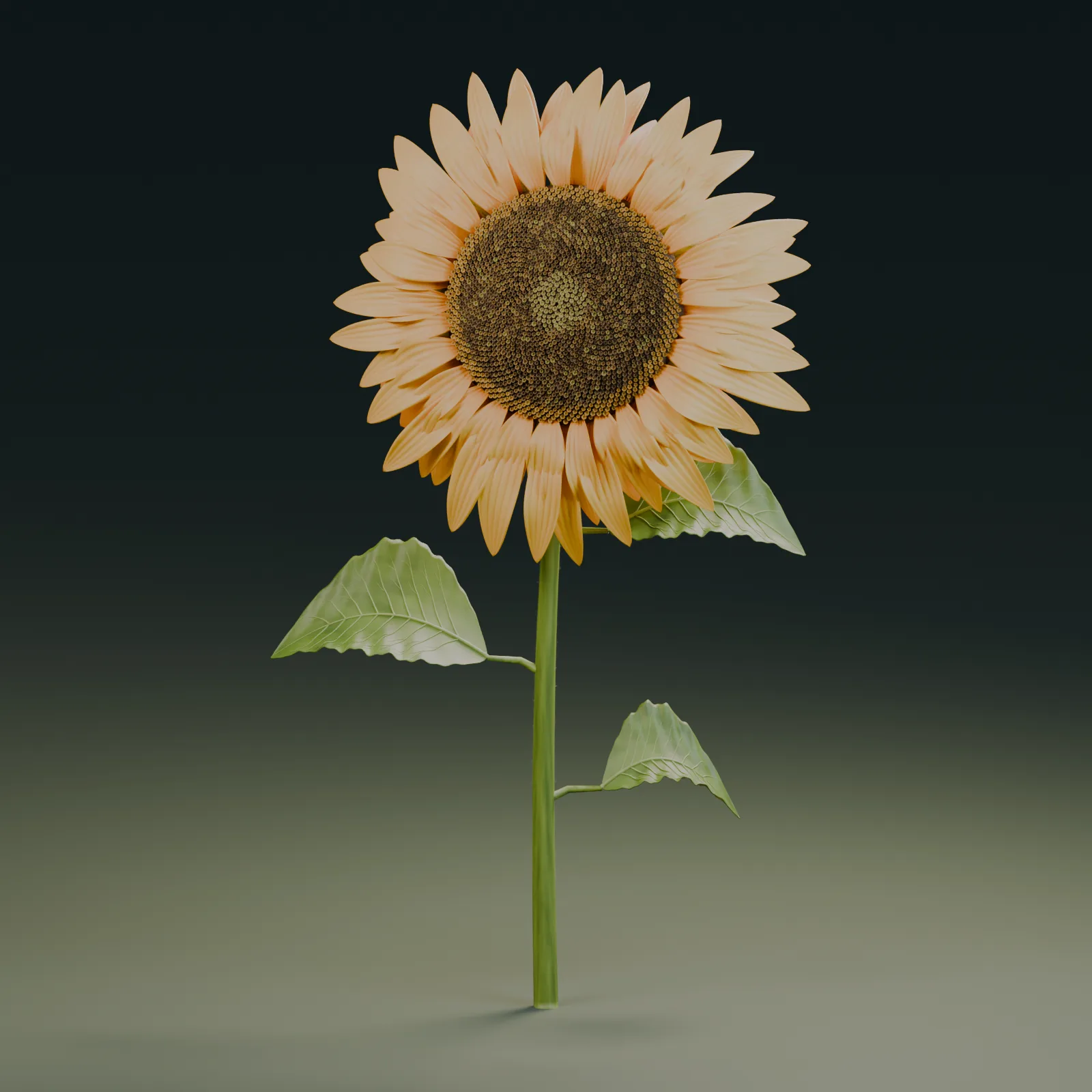
Astra gpt-6-astra
codex exec · 272 lines
Rich, warm gold-orange with a visible gradient toward the center, a finely structured dark-brown spiral core following the Fibonacci pattern of real sunflowers, naturalistically shaped leaves with visible veining. Overall the image closest to an actual studio product shot.
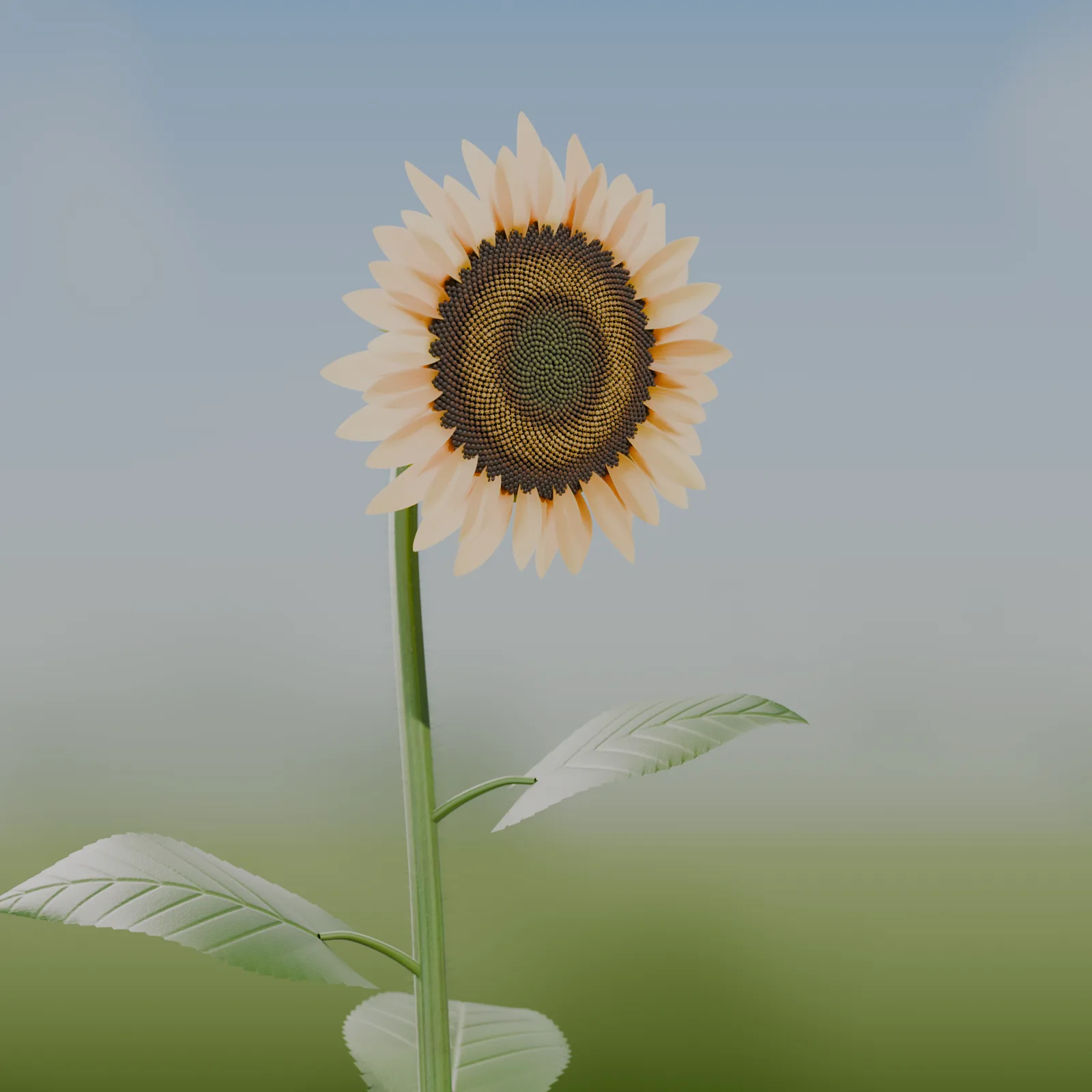
Opus claude
claude · 1119 lines
Paler, creamy-yellow petals, but the most botanically accurate core in the field, with a clearly recognizable spiral pattern and fine color gradients from green to brown toward the center. The leaves, with visible veining, look the most detailed of all seven.
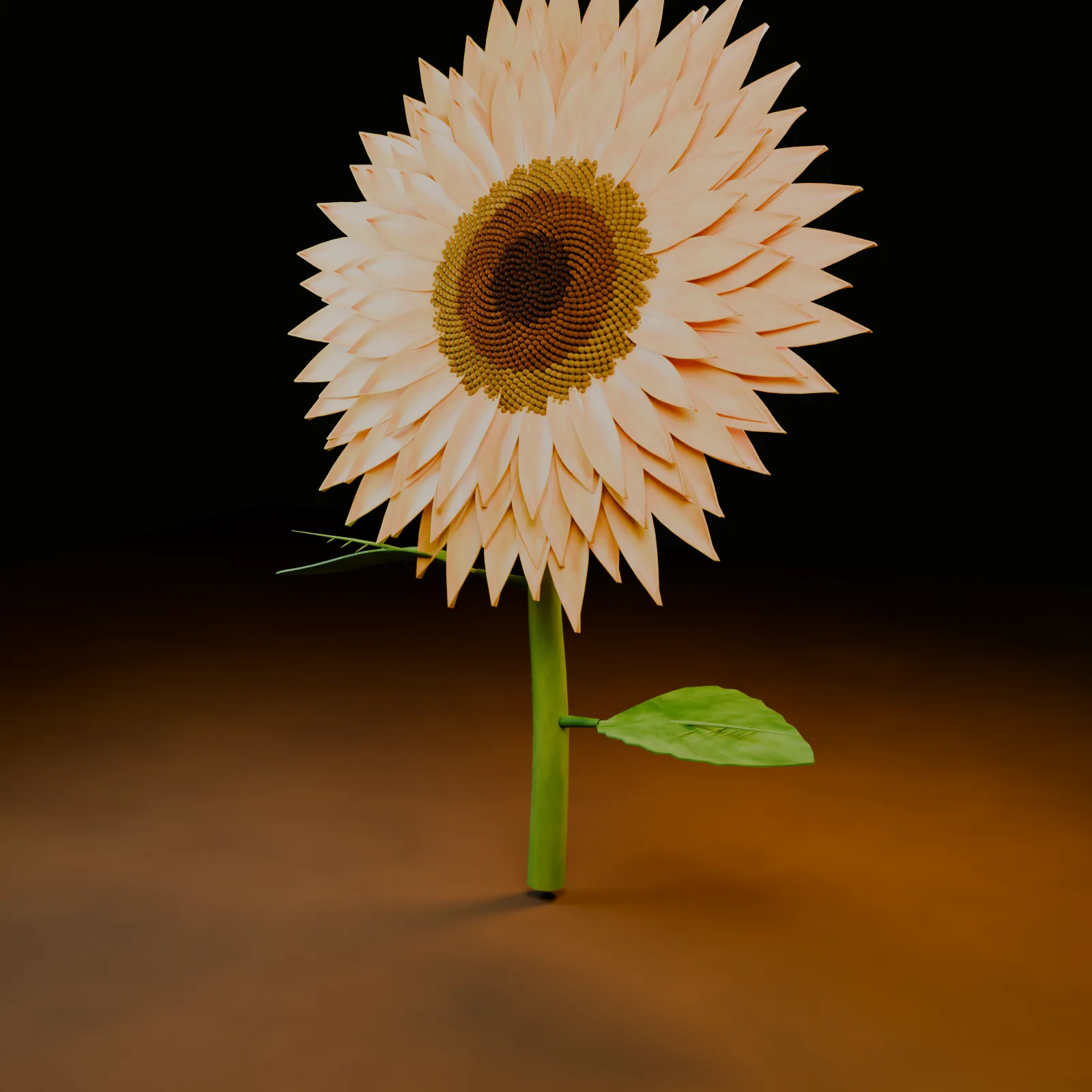
Sol gpt-5.6-sol
codex exec · 350 lines
Pointed, tapering petals in pale cream that read more like a gerbera than a sunflower, a densely packed, dark-brown core with a clear spiral structure. Warm light against a dark background, only a single leaf.
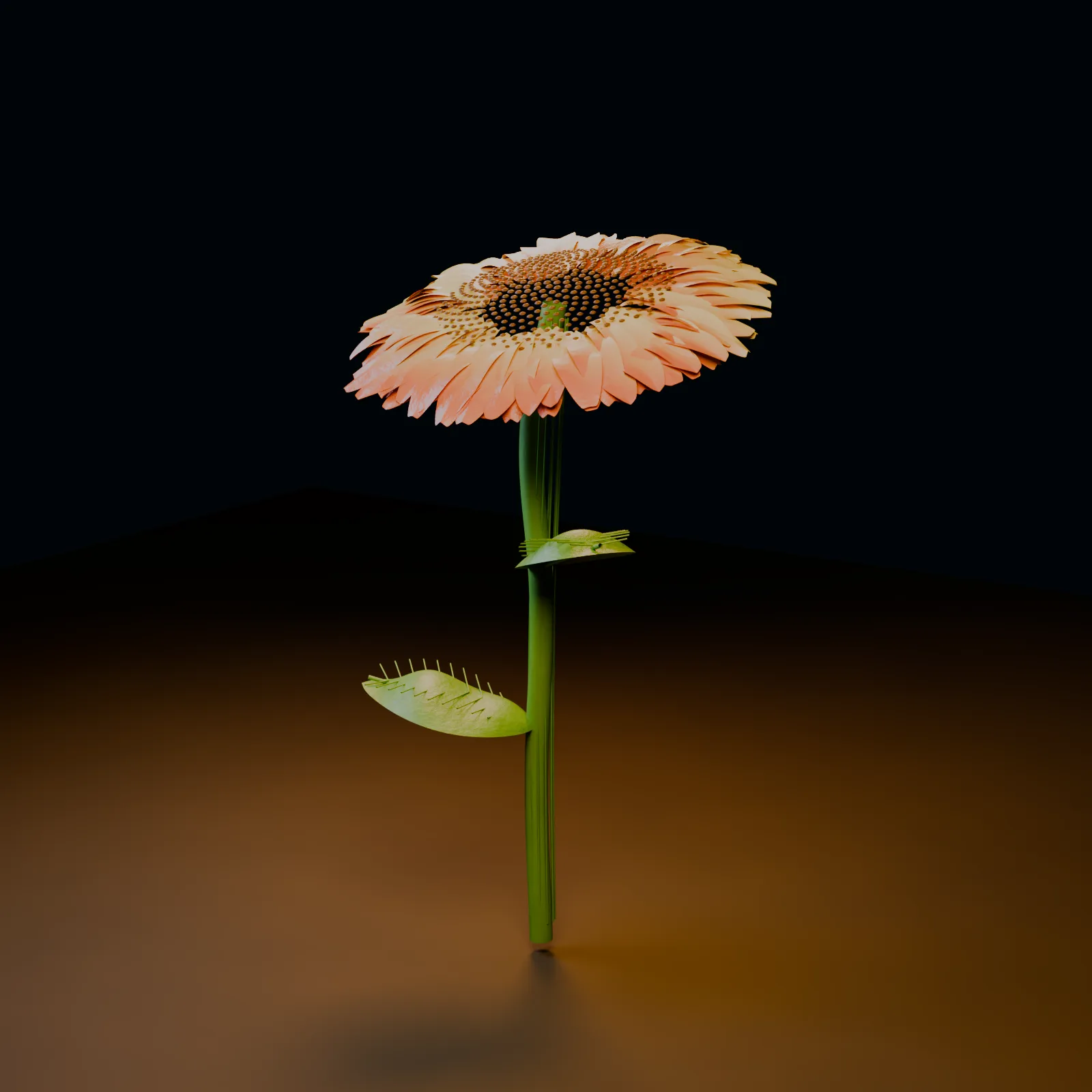
Terra gpt-5.6-terra
codex exec · 231 lines
The petals drift into salmon-pink instead of yellow, though the core is finely rendered. The leaves are narrow and jagged and read as less botanically accurate than Opus or Astra.
Luna gpt-5.6-luna
codex exec · 108 lines
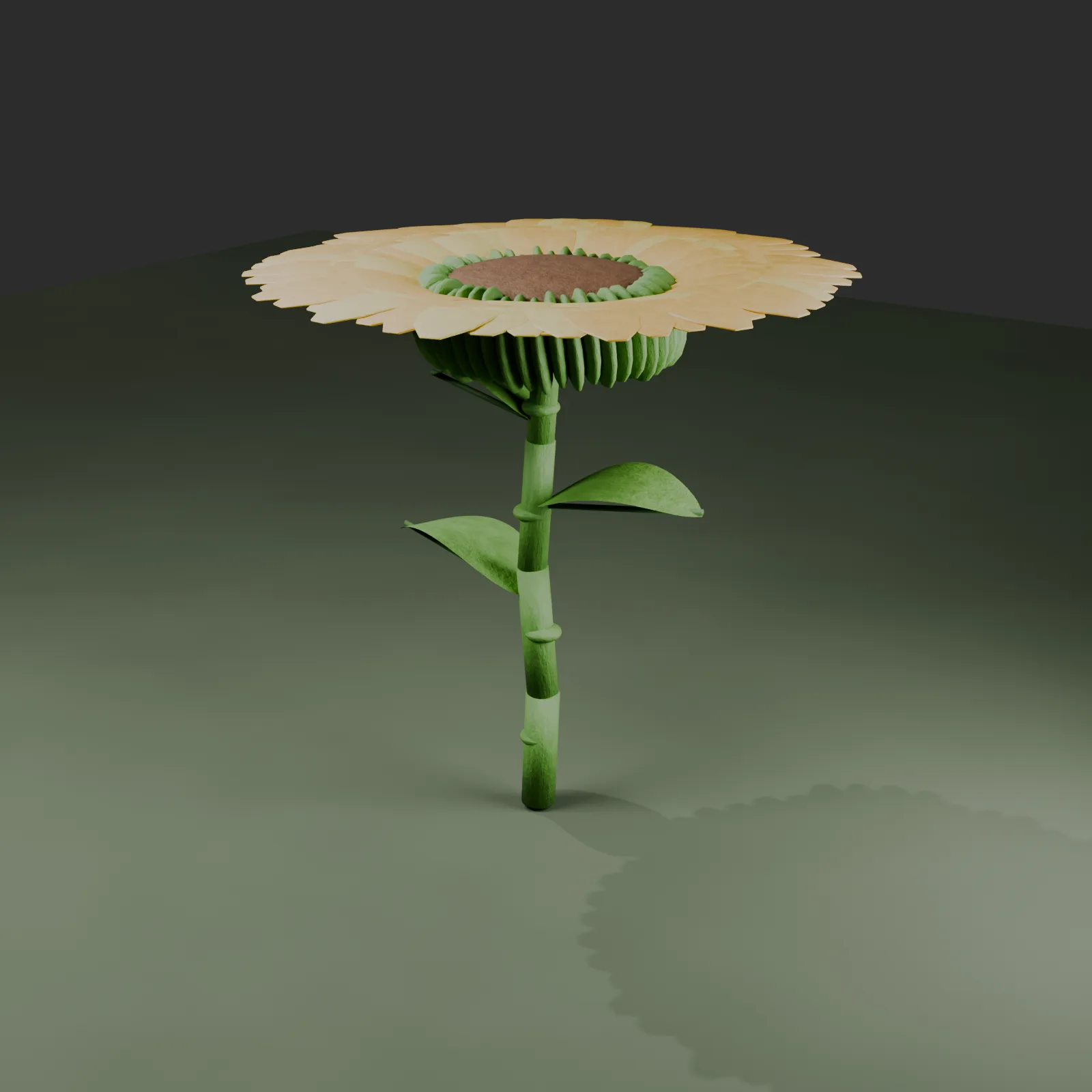
The shortest script in the field at 108 lines. The green, ribbed receptacle stays clearly visible beneath the petals, and the stem is noticeably segmented, almost bamboo-like. More stylized than the other renders, but coherent in its own right.
Sonnet claude
claude · 770 lines
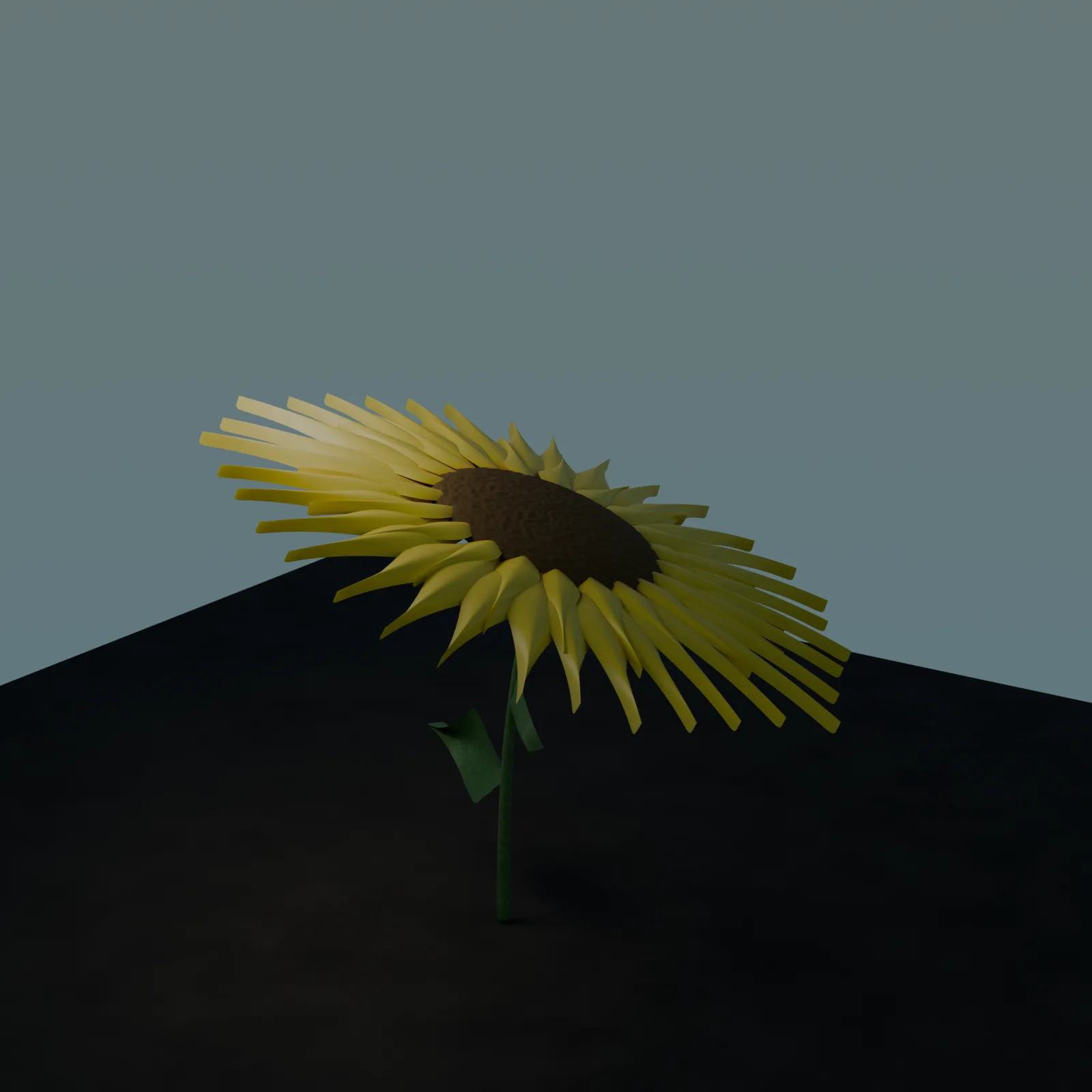
Pointed, slightly wavy petals in a strong yellow, a dark core. The lighting the model chose for itself plunges the foreground into deep shadow, giving the scene a dramatic but less product-photography feel.
Haiku claude
claude · 372 lines
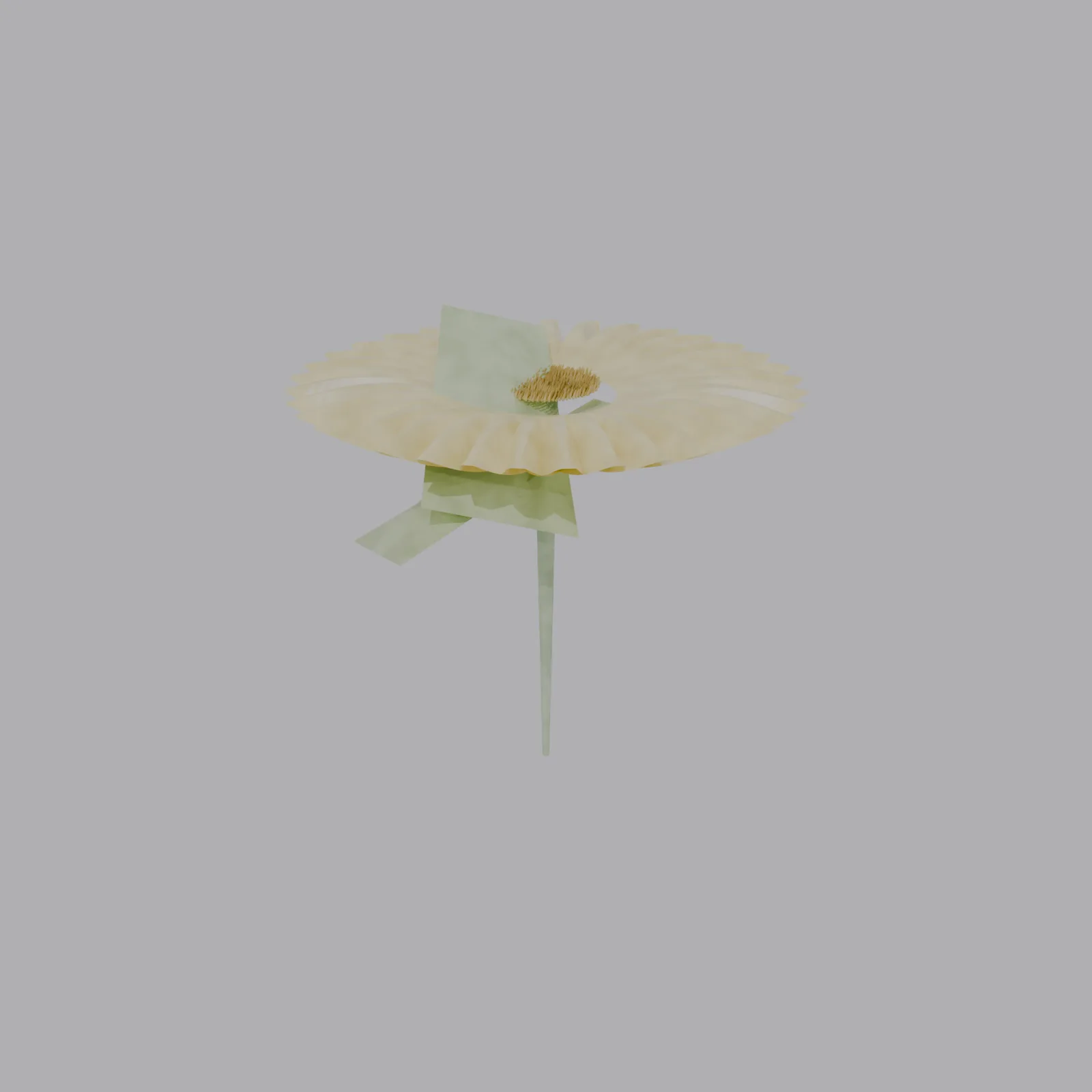
The petals form a closed ring, but the flower head at the center doesn't fully fill the space and leaves a gap. One leaf sits in the scene as a flat green plane at an odd angle. The geometrically least convincing result in the field.
What makes the difference
| Model | Color | Flower head | Leaves/stem |
|---|---|---|---|
| Astra | Rich gold-orange | Fine spiral structure | Naturalistic |
| Opus | Pale cream-yellow | Most botanically accurate spiral | Most detailed (veining) |
| Sol | Pale cream | Dense, dark, clear spiral | Only one leaf |
| Terra | Salmon-pink instead of yellow | Finely rendered | Narrow, jagged |
| Luna | Orange-yellow | Green receptacle stays visible | Bamboo-like, segmented |
| Sonnet | Strong yellow | Dark, little structure visible | Shadow hides detail |
| Haiku | Pale yellow | Ring with an open center | One leaf misplaced |
A pattern emerges across all seven images: the botanical accuracy of the spiral pattern in the flower head (the most characteristic feature of a real sunflower) and the choice of a rich, warm yellow-orange over a pale or pink-shifted tone separate the most convincing results (Astra, Opus) from the weaker ones (Terra, Haiku). Script length says little on its own: Luna gets by with 108 lines and delivers a coherent, if stylized, result, while Opus writes by far the most elaborate script in the field at 1119 lines and, with it, the most botanically accurate core.
What this means for choosing a model
Creative, design-driven tasks reveal real stylistic differences
Unlike pure logic bugs in code, there's no simple right or wrong here. Each model makes its own decisions on color gradients, leaf shape and camera mood, and these decisions differ far more between models than they would on a pure bugfix task.
Model size correlates here more with botanical detail
Opus and Astra, the two most elaborate scripts in the field, also deliver the most botanically accurate spiral patterns in the flower head. For tasks where fidelity to a real reference matters, the more capable model tends to pay off here.
Without an actual render, this would only have been code reading
All seven scripts read plausibly on their own. Only the actual Blender run with identical camera framing makes visible which model designed the most botanically convincing sunflower, which the most stylized, and which the least coherent.
How reliable is your own AI workflow, really?
I test model and tool choices on real project code, with an actual test run instead of a gut feeling. 30-minute intro call, free of charge.